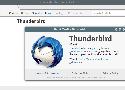
add-apt-repository ppa:ubuntu-mozilla-security/ppa
apt-get update
apt-get install thunderbird

C'est une vaste blague ce site, ou bien c'est un hommage aux shaars sur la langue française d'il y a quelques jours? Sans compter les specs, le prix... via http://cochi.se/links/?9jEBmg



Utilise https://www.heidoc.net/joomla/technology-science/microsoft/67-microsoft-windows-iso-download-tool qui te parse auto la page MS.
Préfère : https://www.youtube.com/watch?v=uT3SBzmDxGk :p

Faut que je lance réellement l'éthylotest connecté moi.
Les quatre hommes du Sea King en détresse, sains et saufs, ont été réconfortés par un riverain, médecin à la retraite, qui leur a offert du café et de crêpes pour se réchauffer.
gg :p

A tous ceux qui n'ont jamais vu Perfect Blue : foncez.




Merci :0

A self-contained Live CD/USB key with everything you need to perform highly secure air-gapped Bitcoin transactions. Offline cold storage made (slightly more) practical.

Encore un Windows PE à tester, via http://www.ghacks.net/2017/01/19/medicat-dvd-bootable-toolkit-with-windows-10-winpe/

Automatic Sync
In Package Synchronizer v1, we added in automatic sync for Chocolatey to see changes in software installed on a system that it is tracking with Chocolatey packages. As we wanted those states to match to provide the best possible experience, licensed versions of Chocolatey detect those changes and ensure those packages stay in sync with the software in Programs and Features that they are tracking. Automatic sync is great and the best part is that it just happens, automatically, every time Chocolatey runs.
Sync Command
Now with Package Synchronizer v2, we've introduced the sync command to compliment the automatic sync. You run one command and Chocolatey will bring all software installed on the system under Chocolatey management. Here at Chocolatey we think that's pretty epic, so rather than spend too much time talking about it, we'll just show you what that looks like with a short video.