Daily Shaarli
November 30, 2015
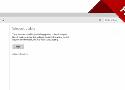
Cette pu**** d'erreur Windows Update sous Windows 10 qui revient en quasipermanence, du coup, coude de la solution, aussi casse-couille que l'erreur elle-même:
Open Windows updates click on “Advanced options”
Clear the option to get updates for other Microsoft products when you updates windows
Restart, then check for updates
The update process should complete successfully now (note, you may have to run it more than once to get all the updates)
As soon as you get the message “Your device is up to date”, go to the “Advanced options” again and re-select the option to get updates for other Microsoft products
Check for updates again, you should now be able to download and install them
